Jabok Labs
FieldFlowWork orders and field reports

Your team out in the field. You, with everything under control.

FieldFlow spreads the week's work, guides each technician step by step and sends you back a complete report: checklist, materials, photos and the customer's signature.

FieldFlow: Planning
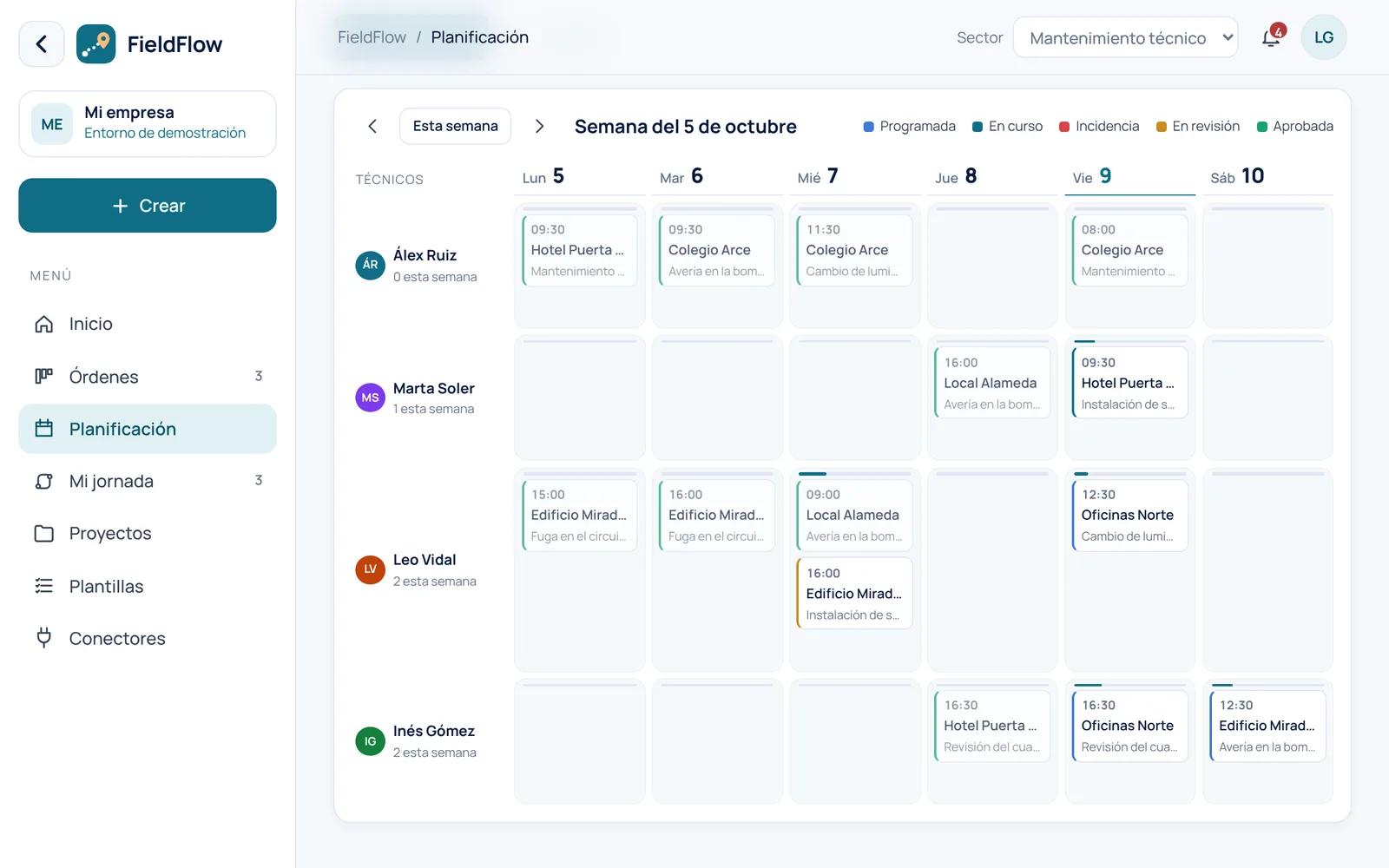
The week at a glanceWho does what and when, on one screen.
Work done rightEvery order comes with its checklist.
Paperless reportsCustomer signature and a PDF report at the end.
Nothing slips throughIncidents and reports to review, in plain sight.
Connectors

FieldFlow, connected to the tools you already use.

Odoo, Salesforce, HubSpot, Microsoft Dynamics 365, Gmail, Outlook, WhatsApp and more. And with Webhook, Zapier, Make or n8n, with anything else.

OdooSalesforceHubSpotDynamics 365ZapierMaken8nExcel / CSVWhatsApp
GmailOutlookGoogle CalendarGoogle Business ProfileStripeGoogle SheetsGoogle DriveSlack
See all connectors Logos belong to their owners and only indicate compatibility. Connectors for Odoo, Salesforce, HubSpot, Dynamics 365 or WhatsApp are switched on when your account is set up. To connect a third-party tool, your subscription to it must allow API access; its licences and costs are yours and aren't included in Jabok.
Features

Everything FieldFlow does for you.

FieldFlow: Planning
01Planning

Your team's whole week, on one screen.

Each row is a person and each column a day. Drag an order to reassign it or tap a slot to create another. Each day's workload is visible at a glance.

  • Workload bar out of 8 hours per person per day
  • Reassign by dragging, no phone calls
  • Export the week to CSV whenever you like
FieldFlow: Order board
02Order board

From request to approved report, at a glance.

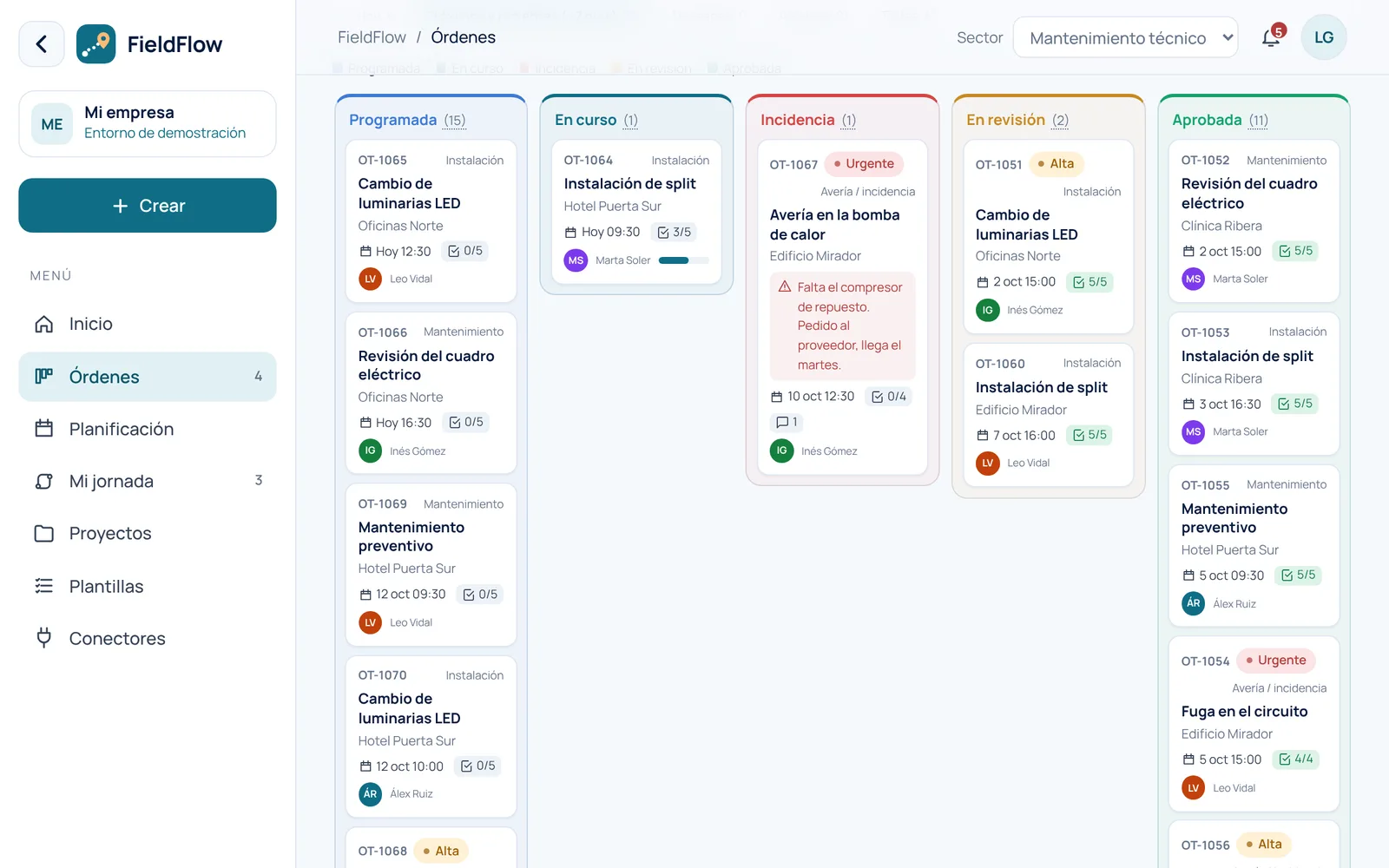
Scheduled, in progress, incident, in review and approved. Each card shows the customer, date, technician and how much of the checklist is done.

  • Filter by technician, project or job type
  • Urgent and overdue work, clearly visible
  • Group orders by project or contract
FieldFlow: Orders with checklists
03Orders with checklists

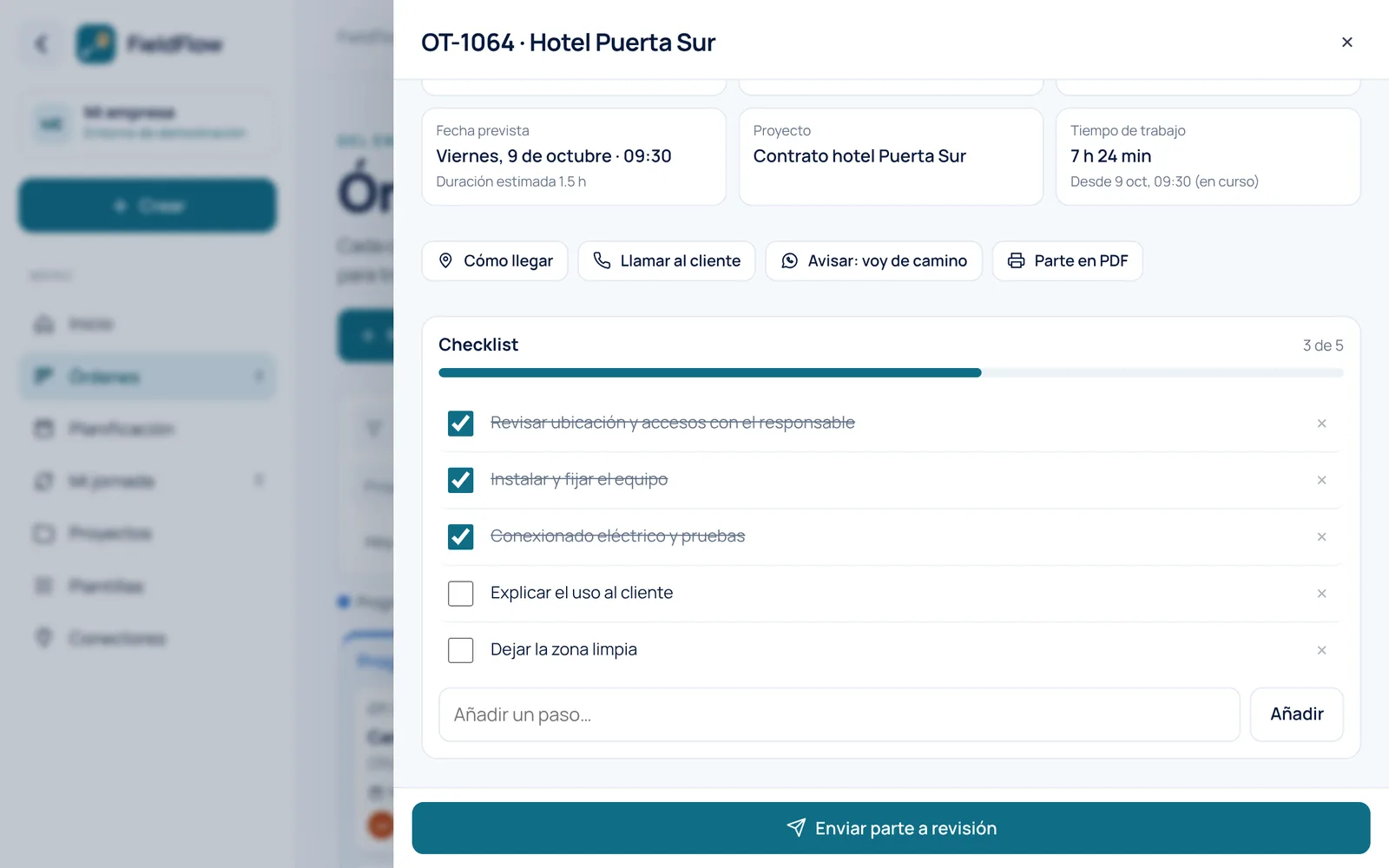
Every technician knows what to do, where and in what order.

The order comes with the address, the customer's contact and the steps from its template. The technician starts it, ticks off each step and work time is tracked automatically.

  • Step templates by job type
  • Directions, call and "on my way" message
  • Work time from the moment it starts
FieldFlow: On-site sign-off
04On-site sign-off

Materials, photos and the customer's signature before leaving.

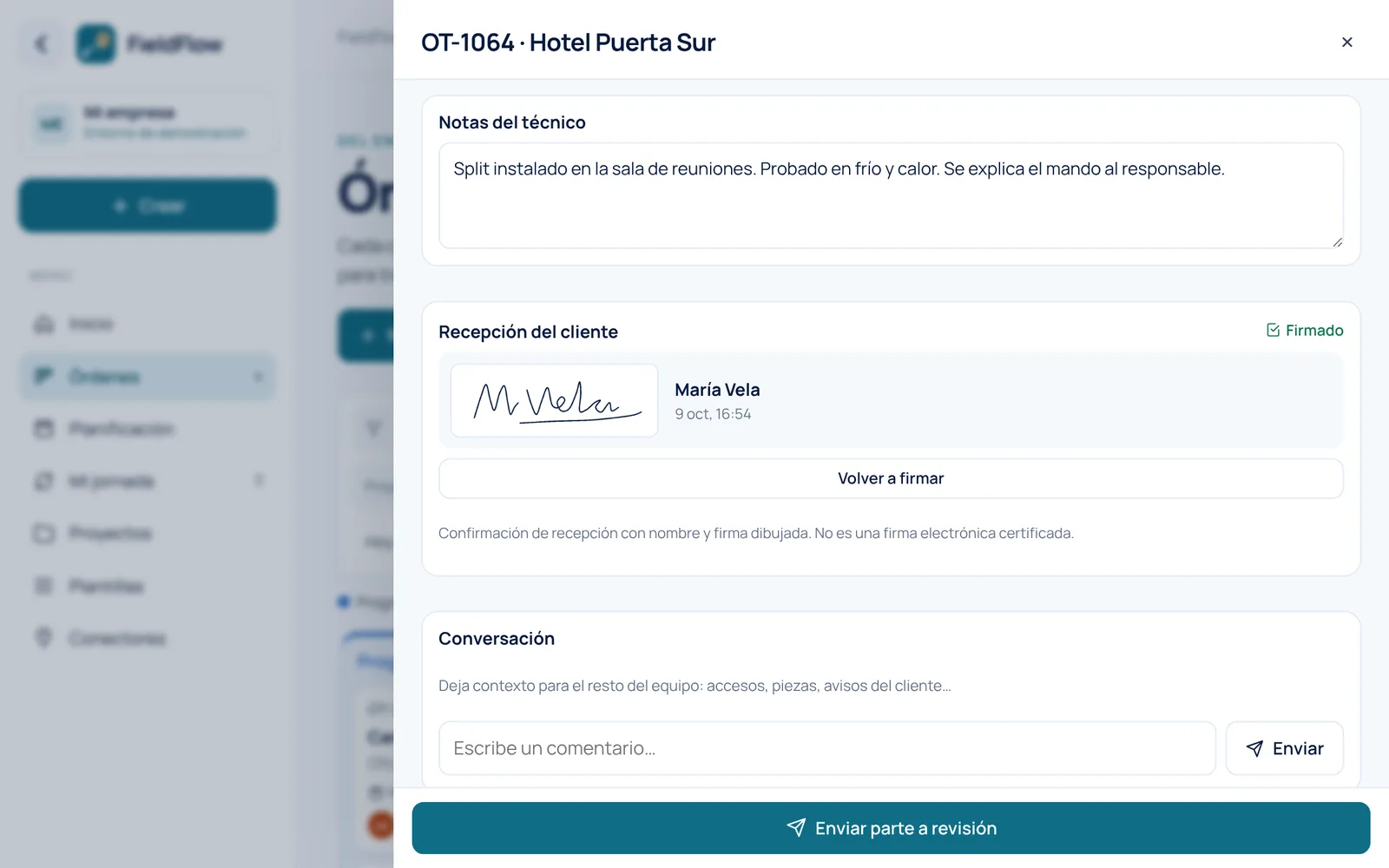
The technician logs the materials used, adds photos and notes, and the customer signs with a finger on the screen. No more paperwork lost in the van.

  • Materials with quantity and unit
  • Up to 6 photos per order
  • Name and signature of the person accepting the work
FieldFlow: Incidents
05Incidents

If something goes wrong, you know straight away.

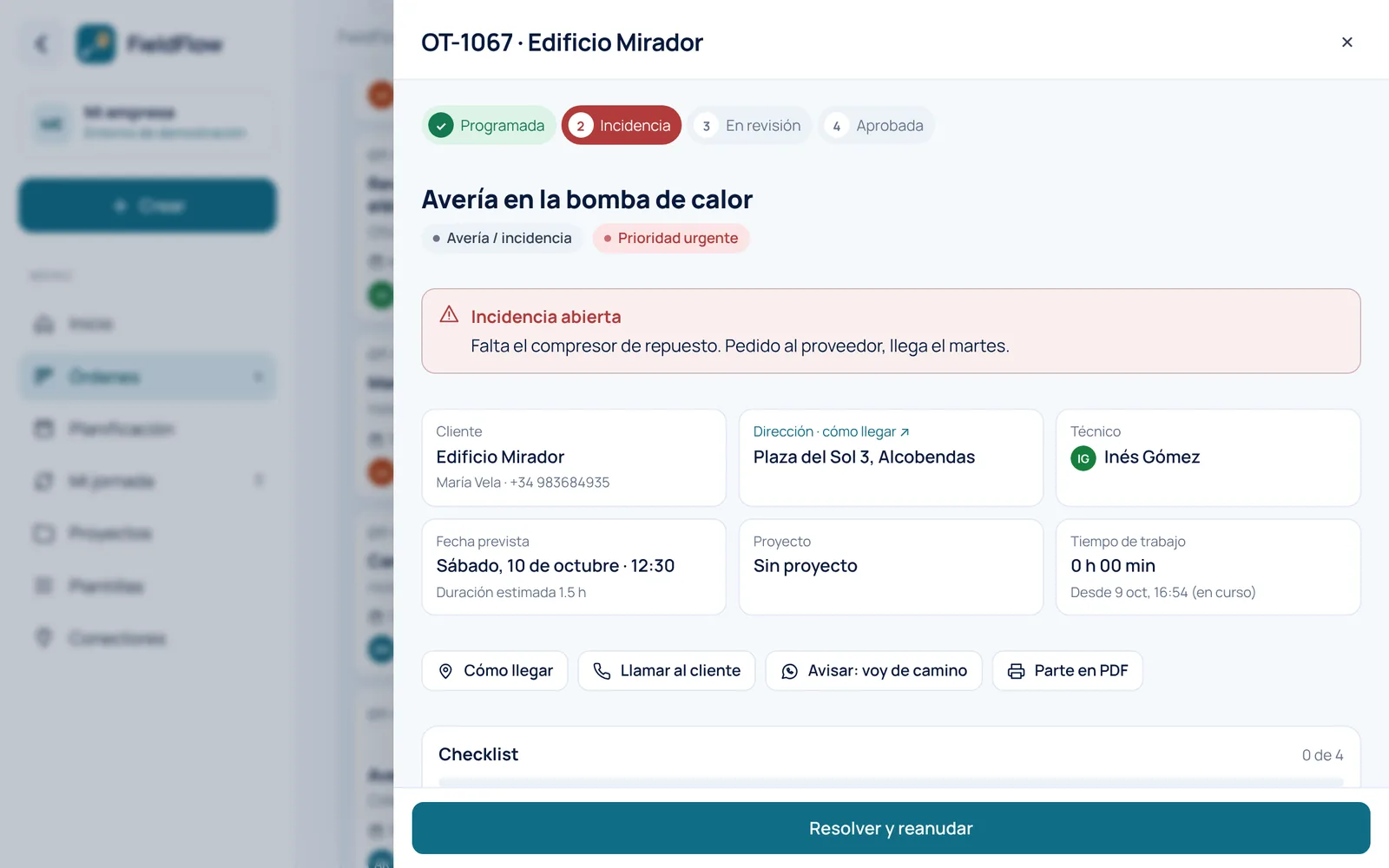
A part is missing, the customer isn't in, someone has to come back another day. The technician logs the incident, the order turns red and you see it in your overview.

  • The reason, written and visible on the card
  • Normal, high or urgent priority
  • Resumes with one click once resolved
FieldFlow: Review
06Review

No report is closed without your approval.

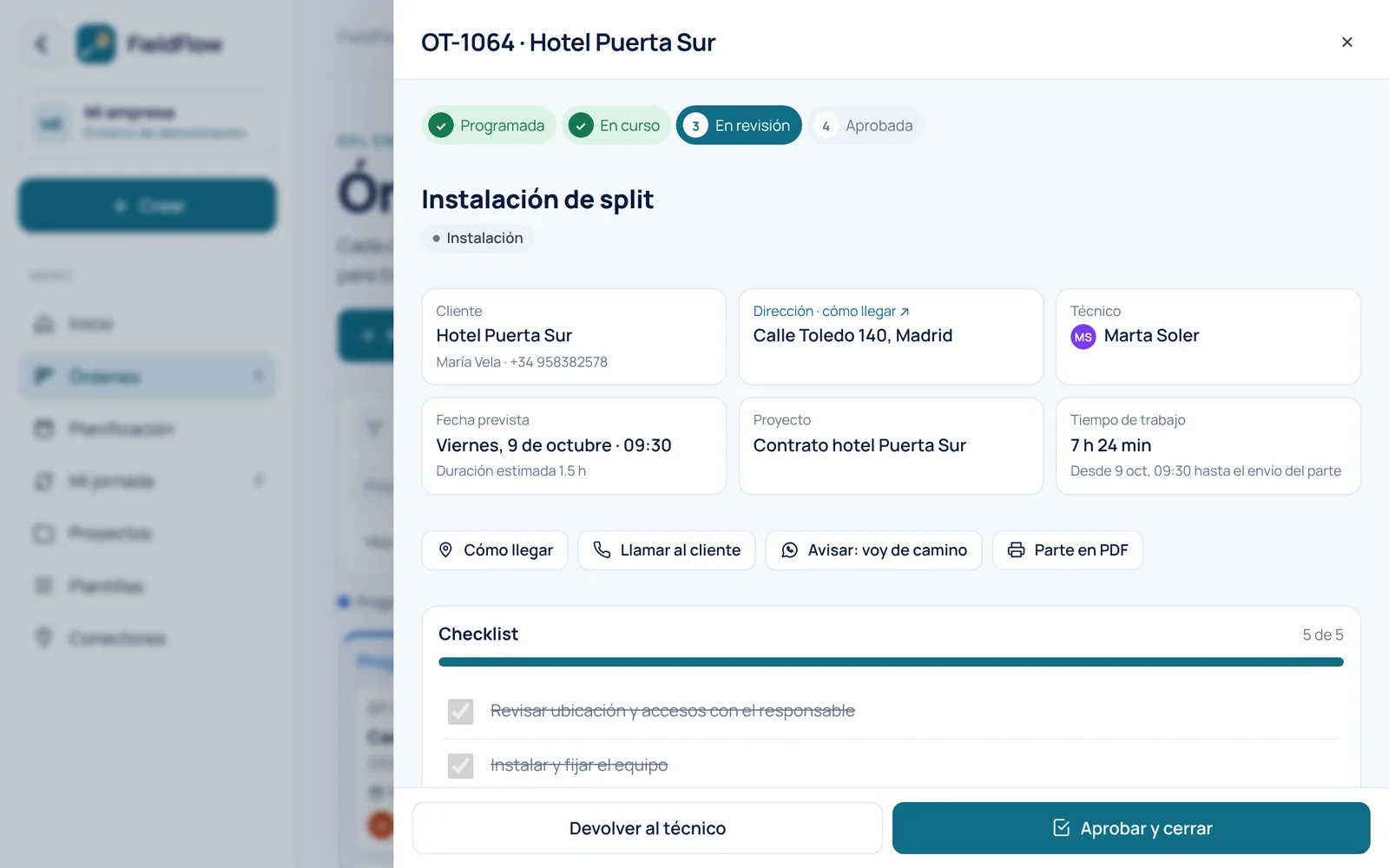
The report only goes out with the full checklist and the customer's signature. You review and approve it, or send it back to the technician with a comment.

  • Reports to review, in your daily overview
  • Send it back with the reason, no phone calls
  • Team conversation inside every order
FieldFlow: PDF report
07PDF report

A clean, branded report, ready to send.

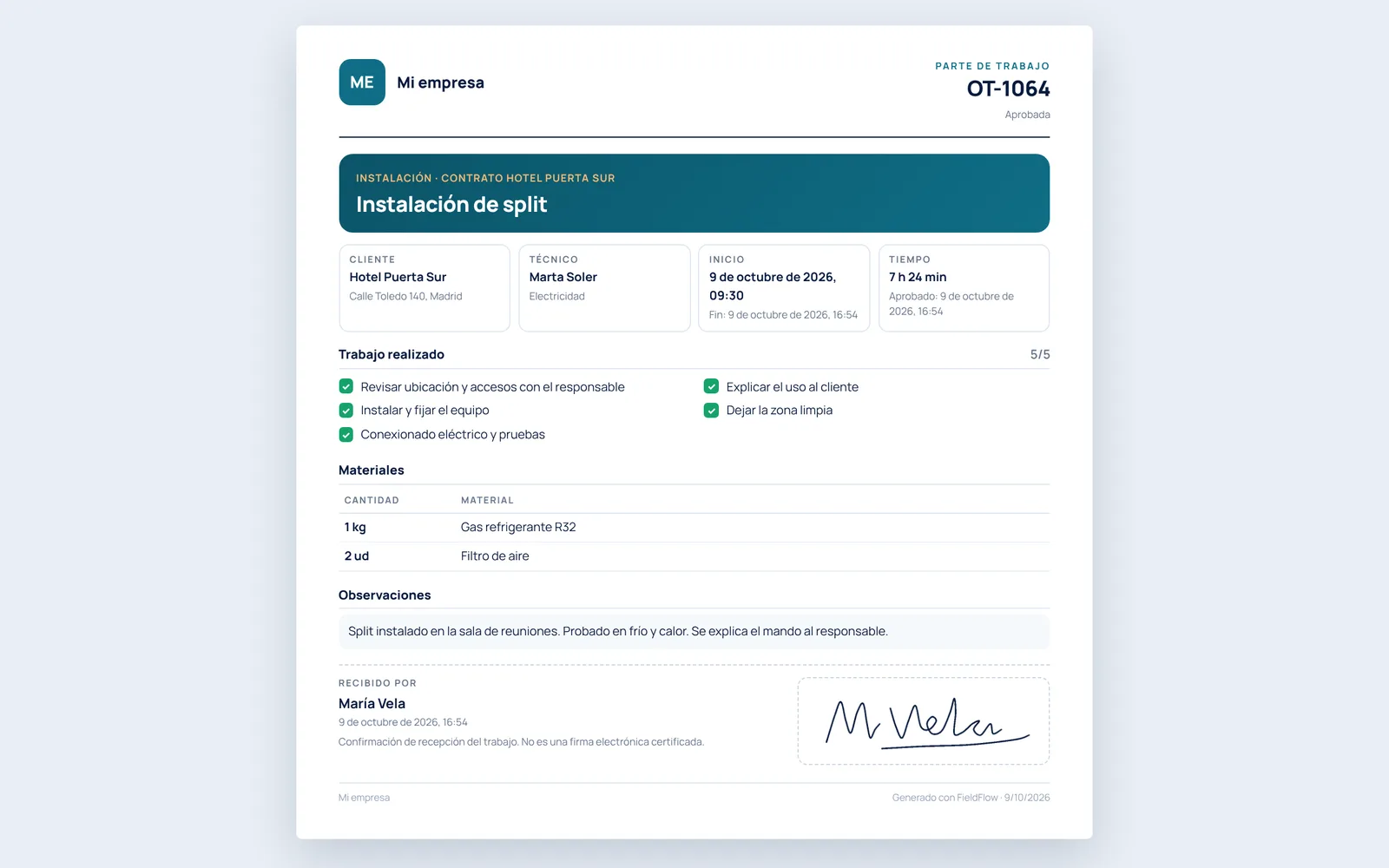
Work done, materials, notes, times and acceptance signature, in an A4 document you save as PDF or print.

  • With your company's name and logo
  • Start, end and duration of each job
  • Received by: name, date and signature
Jabok ecosystem

It works even better connected.

They all run on the same base: your customers and their addresses are added once and all your Jabok solutions see them.

Your next report, paperless.

Try FieldFlow for free with sample data, or let us show you on a call.